

How to set up an Investor Account?
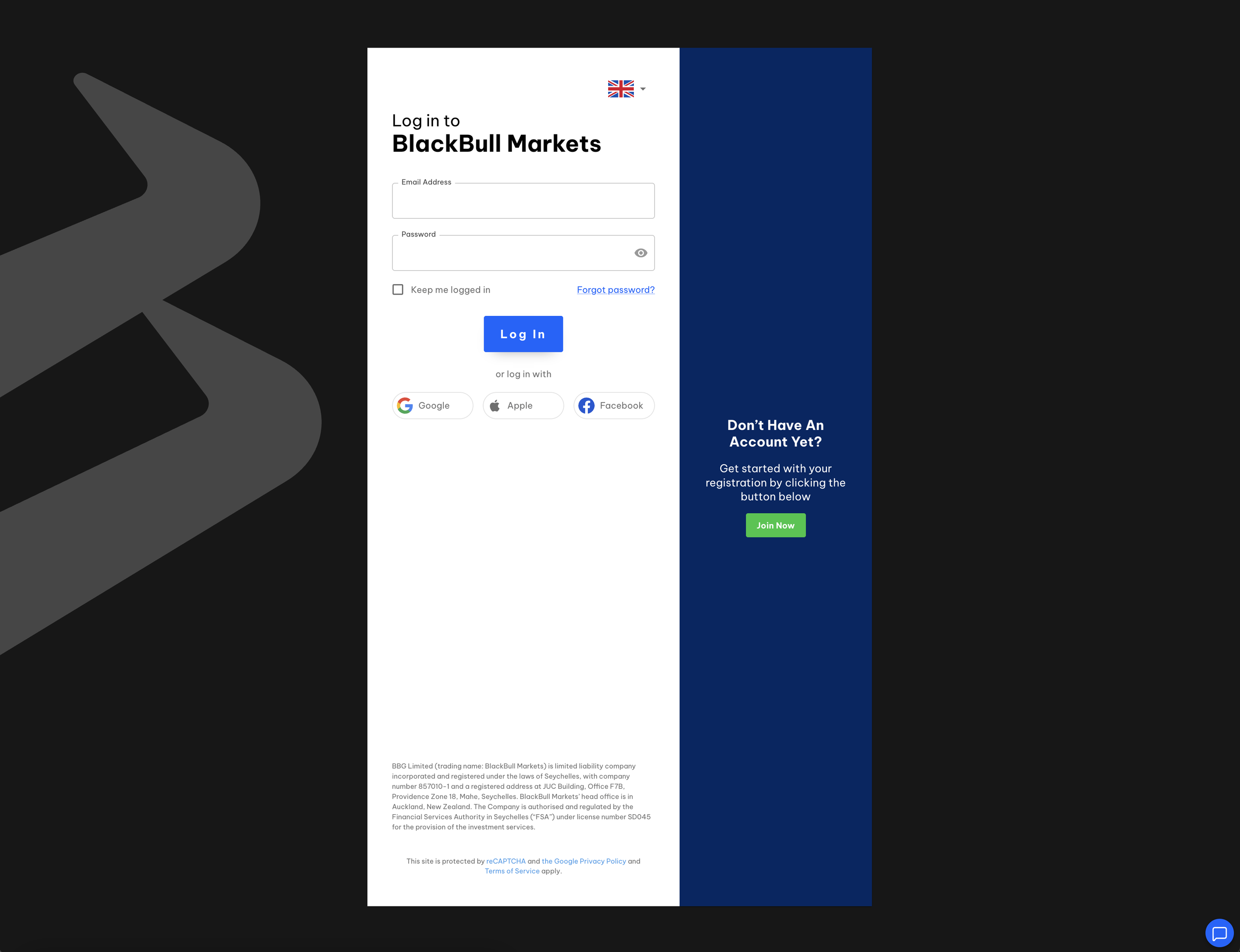
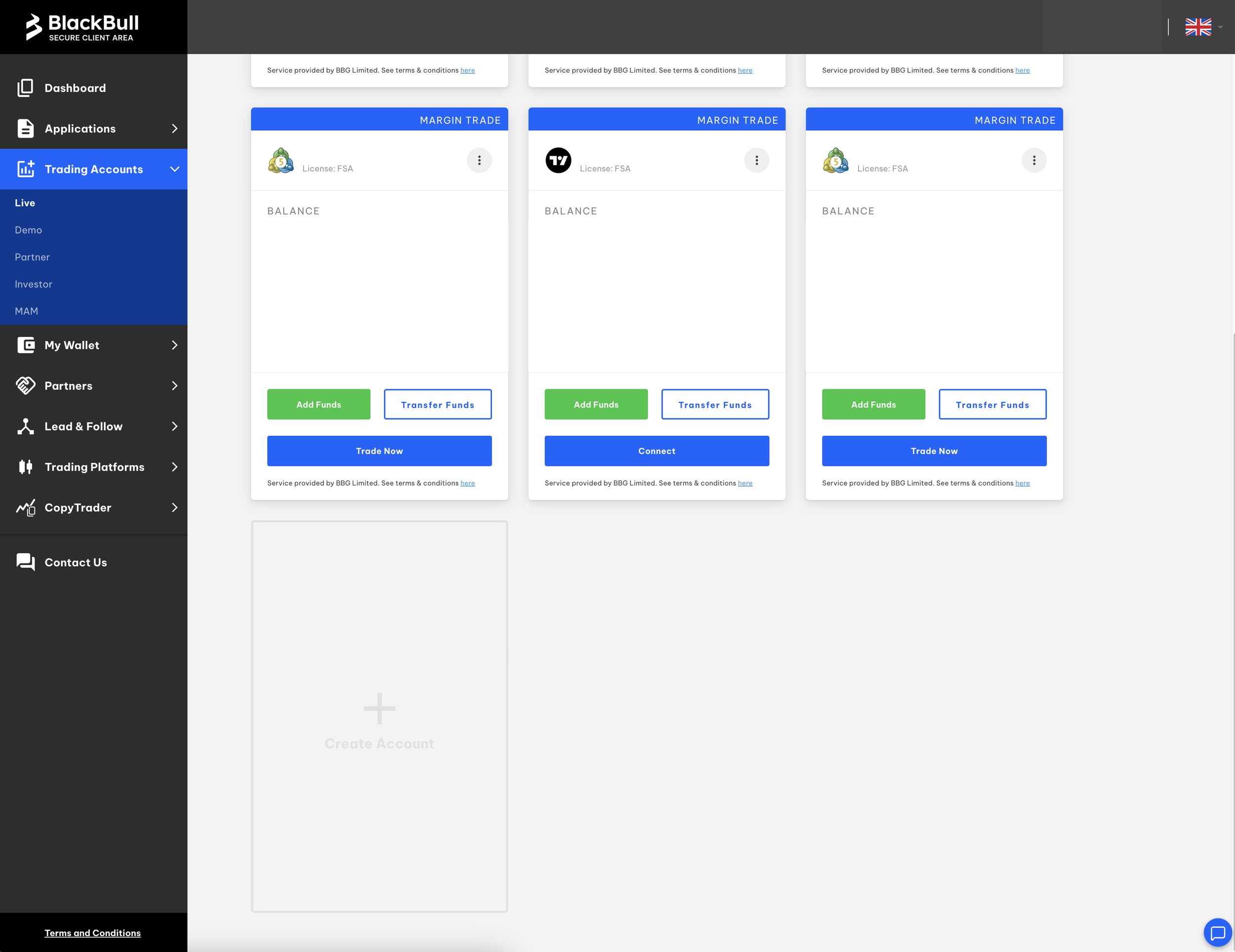
2. Visit the “Trading Accounts” tab in the secure client area. Click on the sub-tab “Live” and select, “Create Account”.
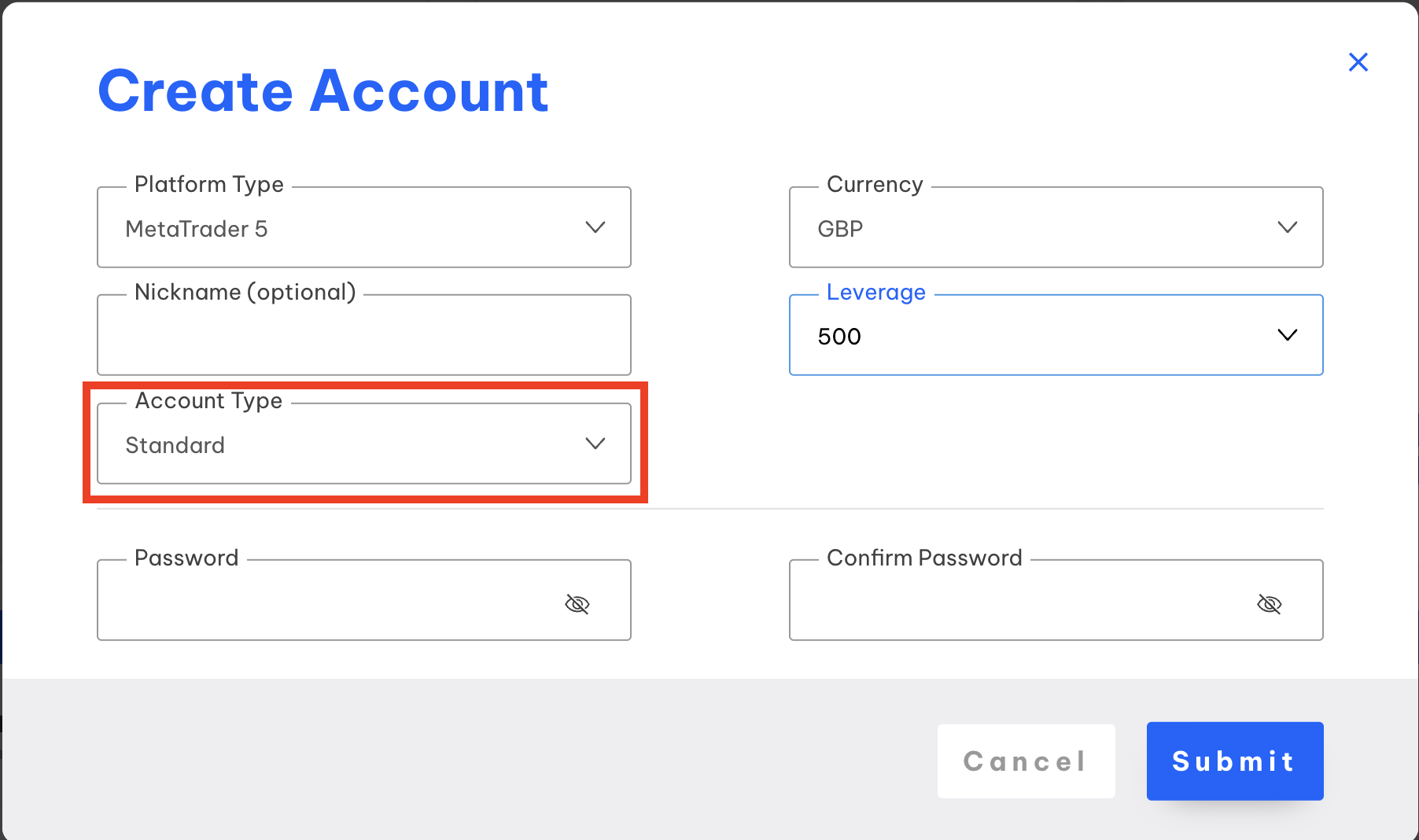
3. Use these exact criteria (THIS IS CRUCIAL FOR THE CORRECT SET UP”:
Platform Type: MetaTrader5,
Account Type: Standard
Leverage: 500
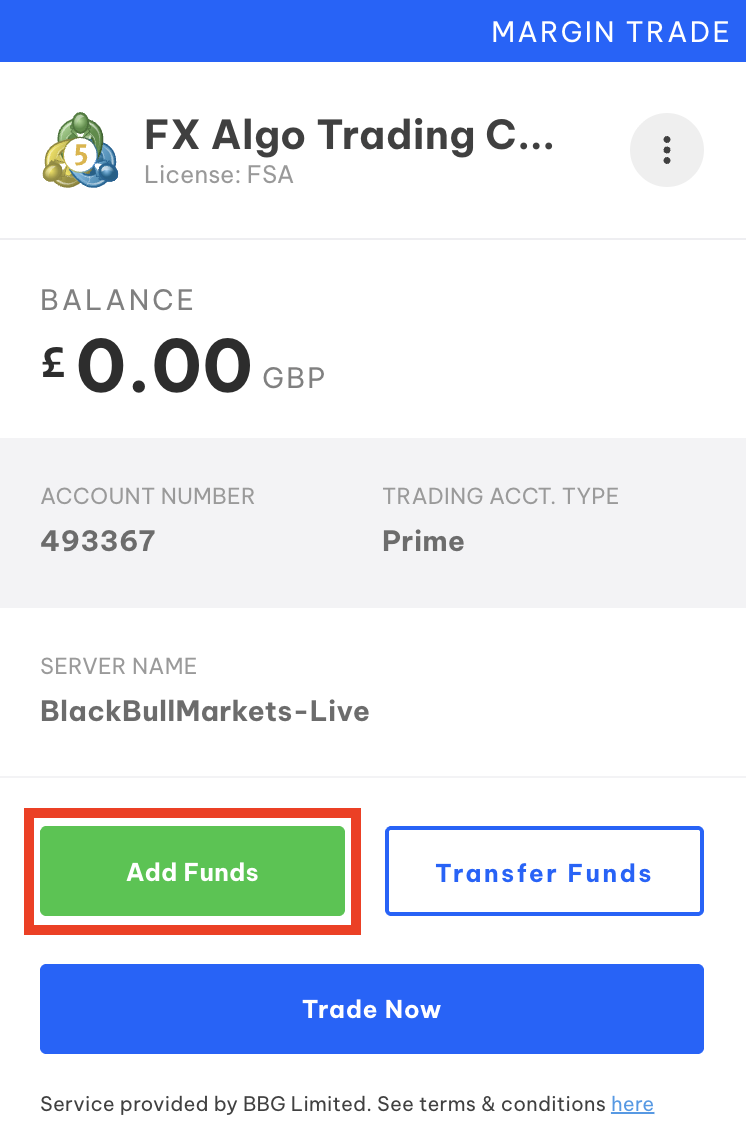
4. Select, “Add Funds” and follow the instructions.
5. Agree to the Terms & Conditions and click on “Confirm”.
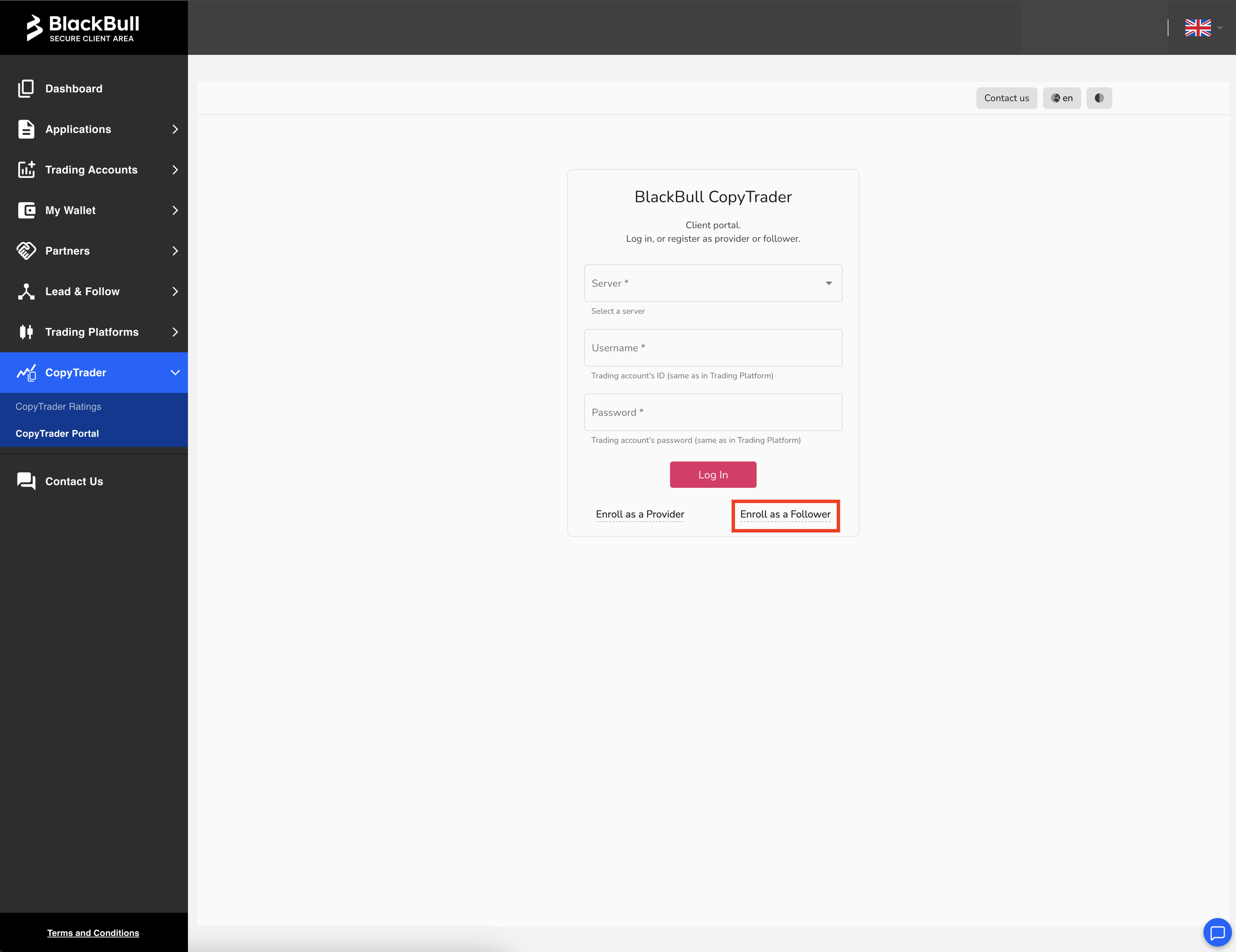
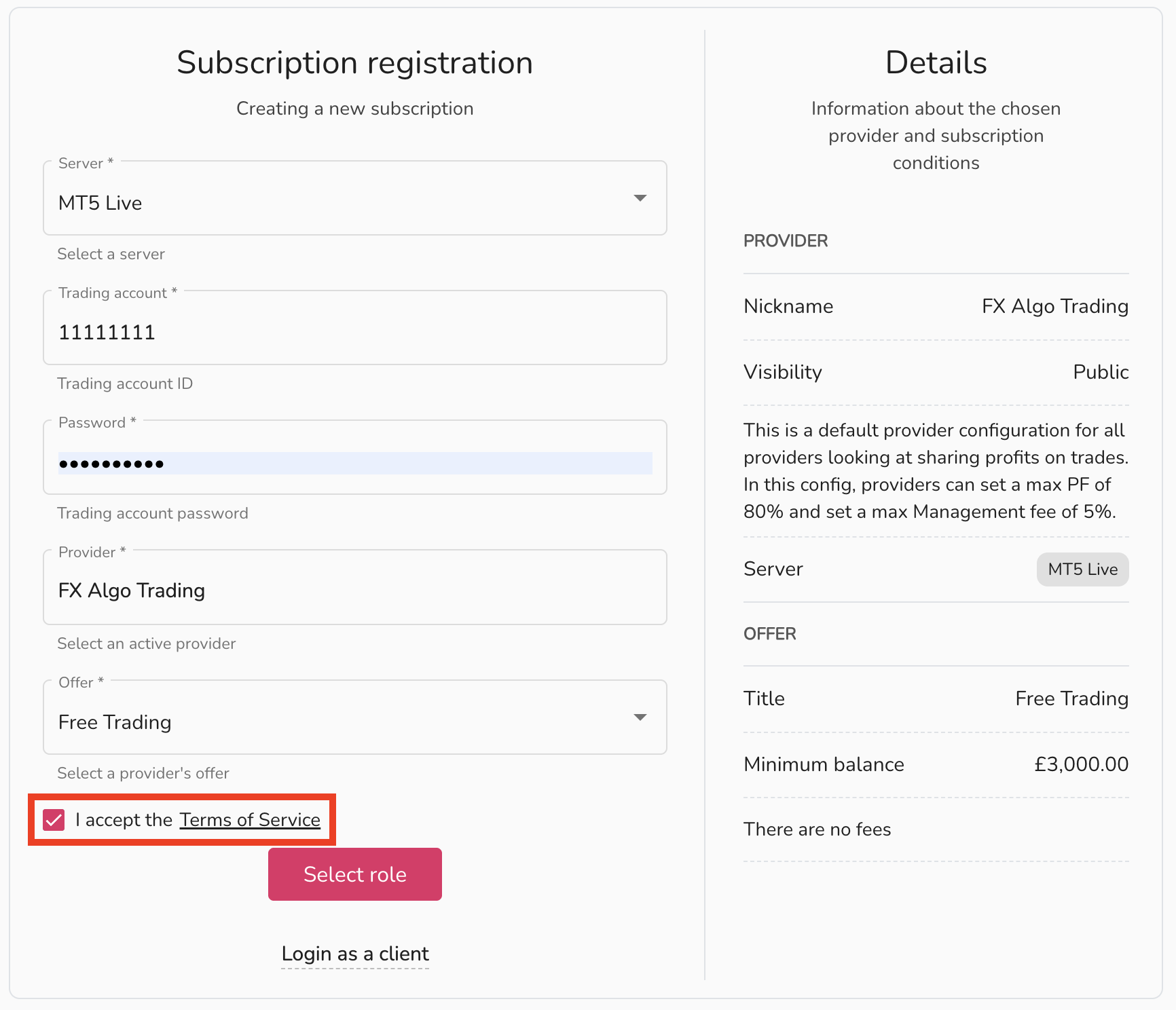
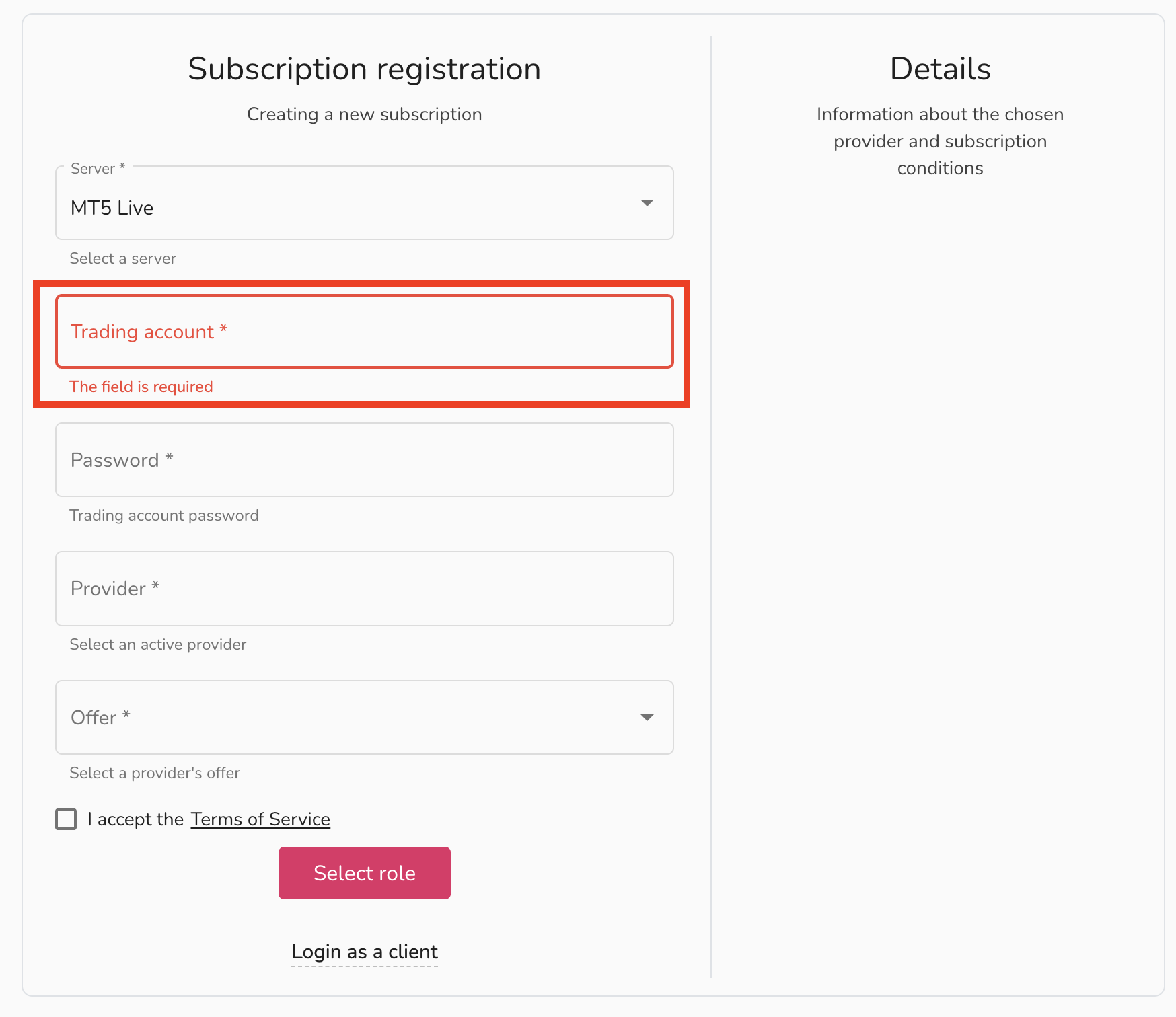
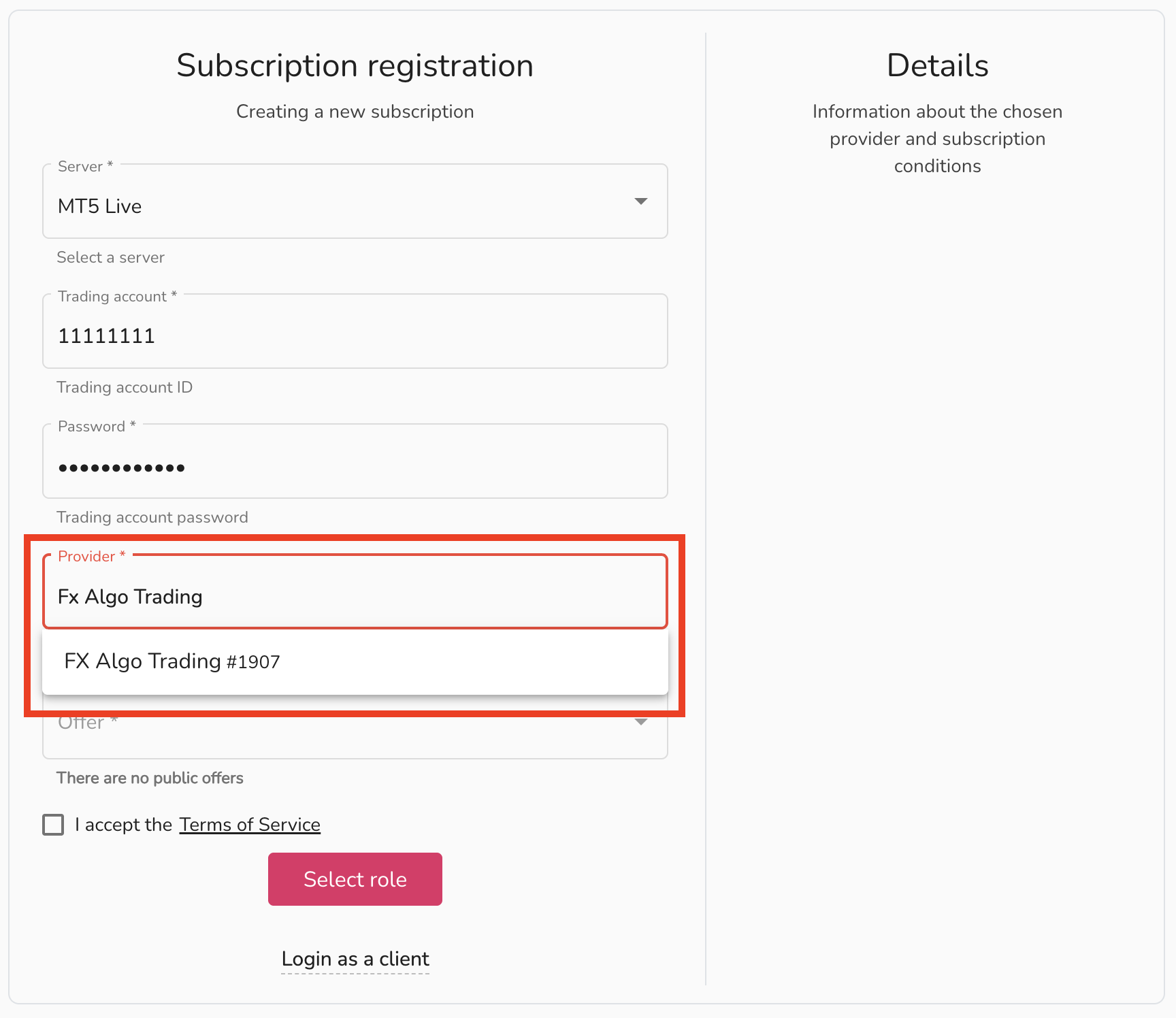
6. In the, “Server” drop down select: “MT5 Live”

7. In the second box input the ID number of the trading account (visit the “Accounts” tab and copy this number).
8. In the third box, input the password of the trading account.
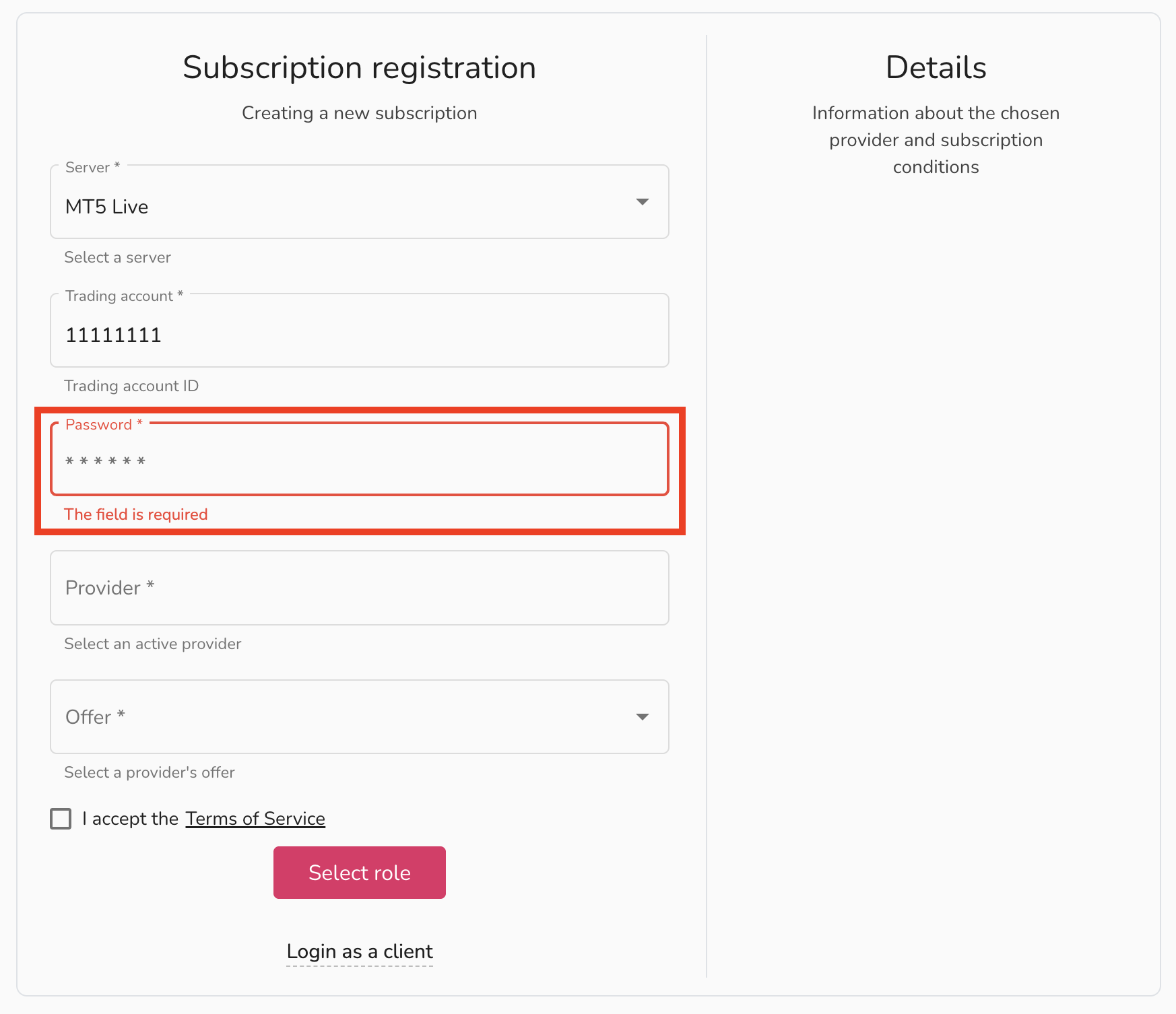
9. In the fourth box type, “FX Algo Trading” and select, “FX Algo Trading #1907”
10. In the fith box select, “Free Trading”
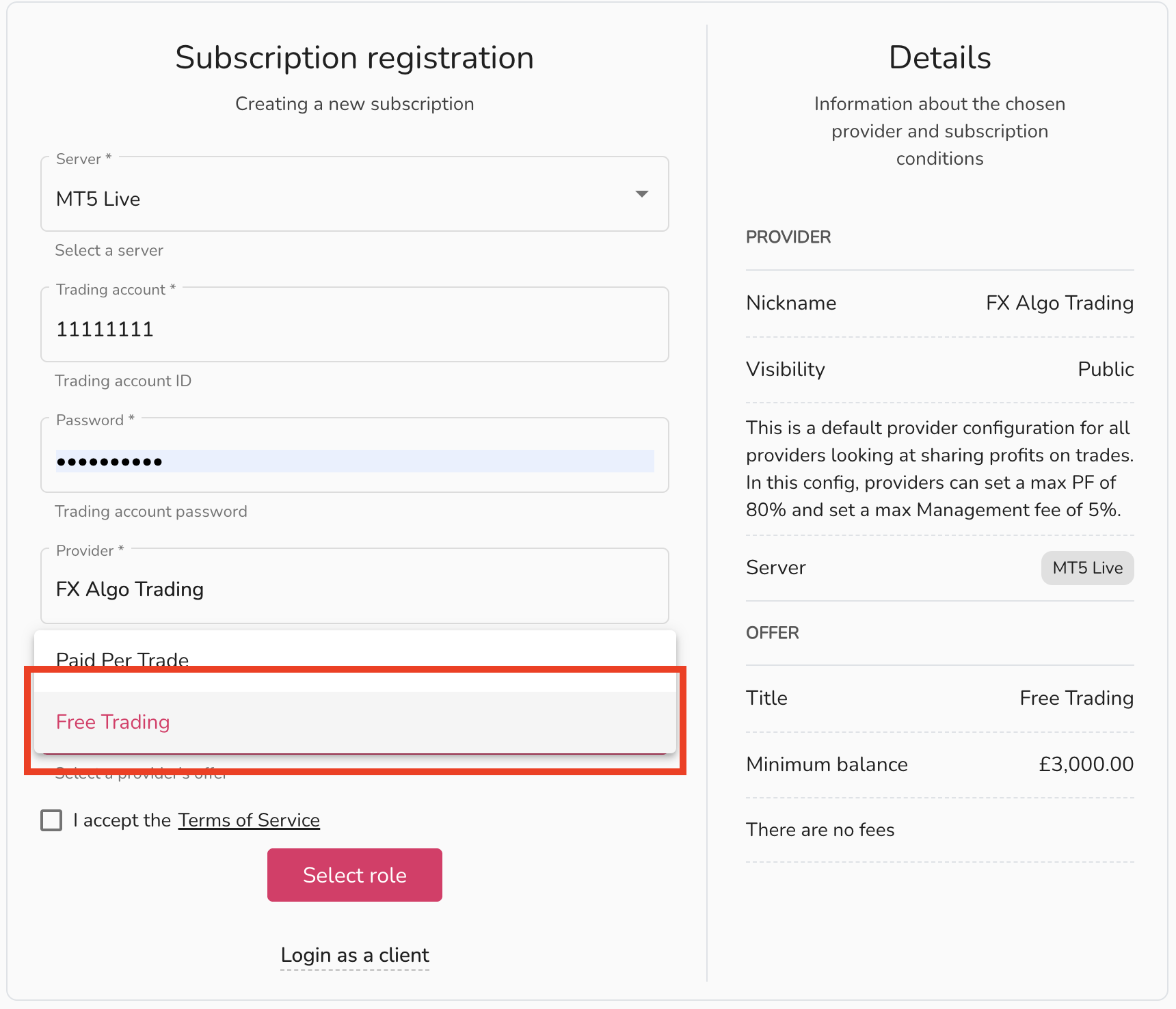
11. Check the, “I accept the Terms of Service” and finally click, “Select Role”